
Our mission as christians is to bring the gospel to all people of all languages! If you would like to watch our sermons in the language of your choice you can follow the steps below!
1) Download the app called Captionkit on the App Store/ Play store! It is available for both Apple and Android!
Apple
Android
2) To join the sermon translation session, you can either search the name of our church, its @cog-churchglory or you can click on the link below!
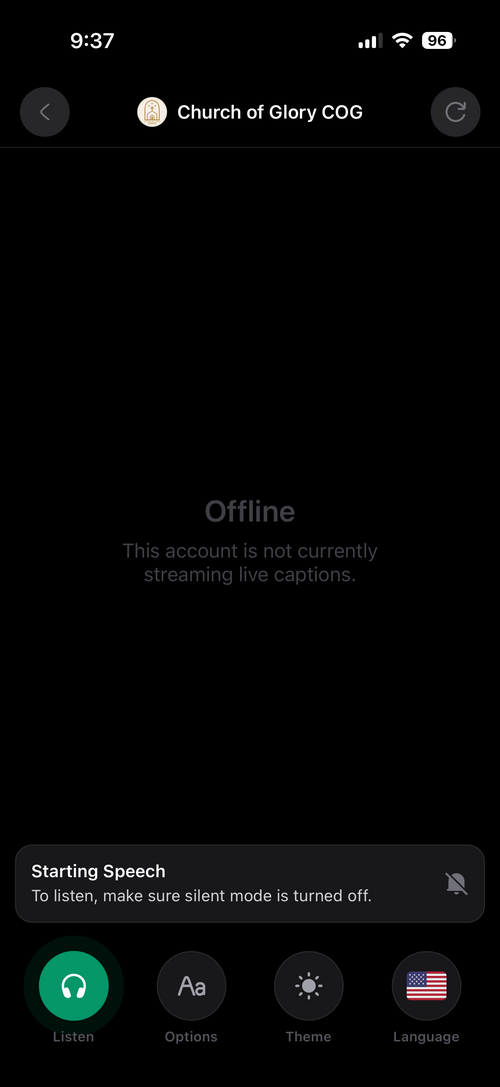
3) You can use the listen function to hear the captions in an AI voice of your choosing! You can bring your own headphones to use the listen function, where an AI voice speaks out the captions to you , or you can borrow one of the church provided headphones, please don't forget to return them!
Please also remember to make sure that your phone is not in silent mode! It needs to be in Ring mode so you can hear the captions!
Please also remember to make sure that your phone is not in silent mode! It needs to be in Ring mode so you can hear the captions!
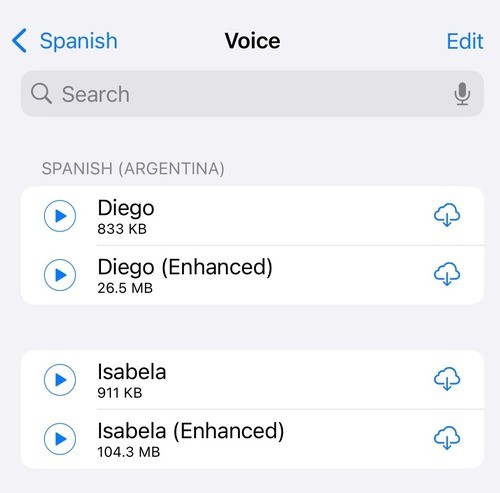
4) For better voices you will need to download them from Settings - Accessibility - Read & Speak - Voices - language - download the enhanced/premium versions for the better ones, remember that the bigger sizes usually indicate better voices!
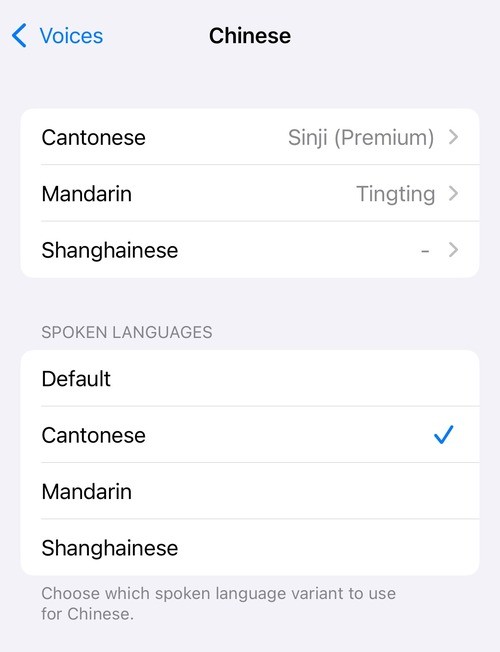
For chinese make sure to pick which dialect you need to use!
For chinese make sure to pick which dialect you need to use!
5) If there is an issue with the captions not showing up please just quit the app and try again that usually fixes most issues!